Uninstall ESP-IDF Using EIM GUI
Launch the ESP-IDF Installation Manager. Under Manage Installations, click Open Dashboard.
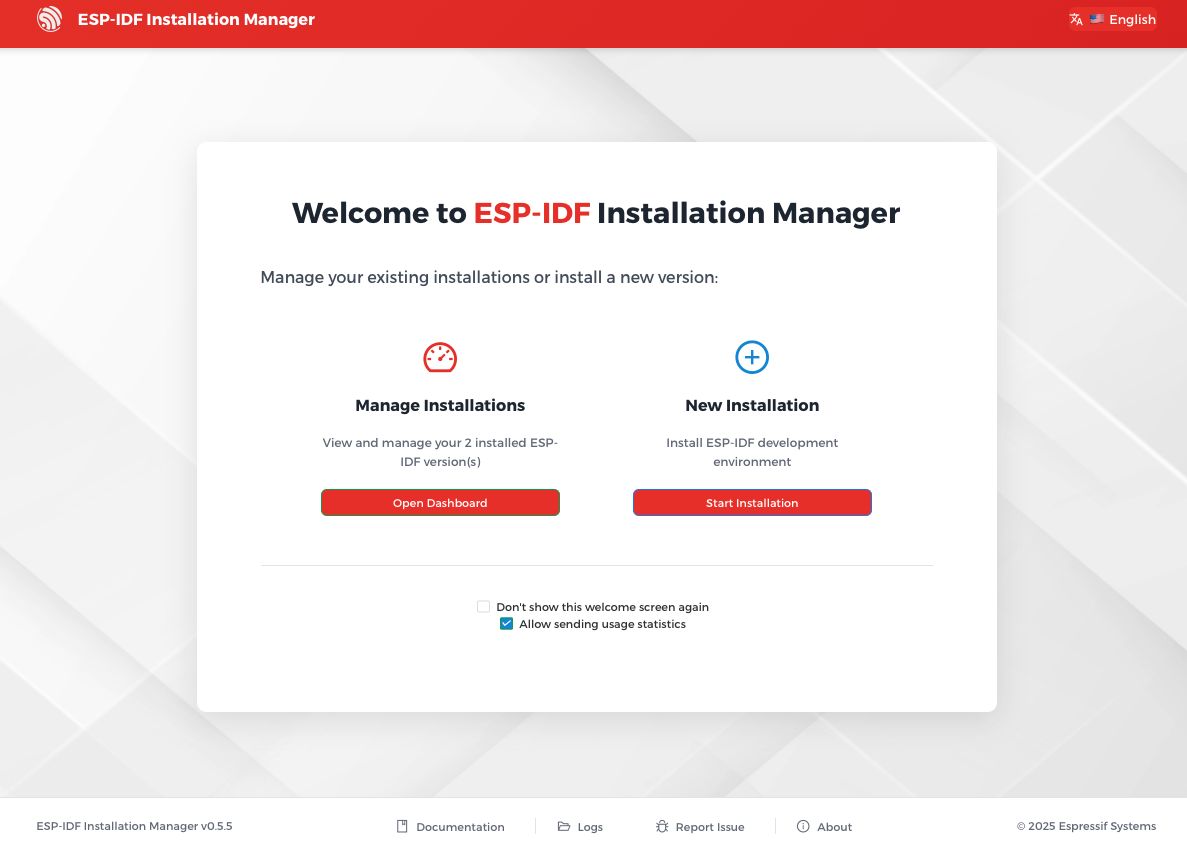
Open Dashboard in EIM GUI
To remove a specific ESP-IDF version, click the Remove button under the version you want to remove.
To remove all ESP-IDF versions, click the Purge All button at the bottom of the page.
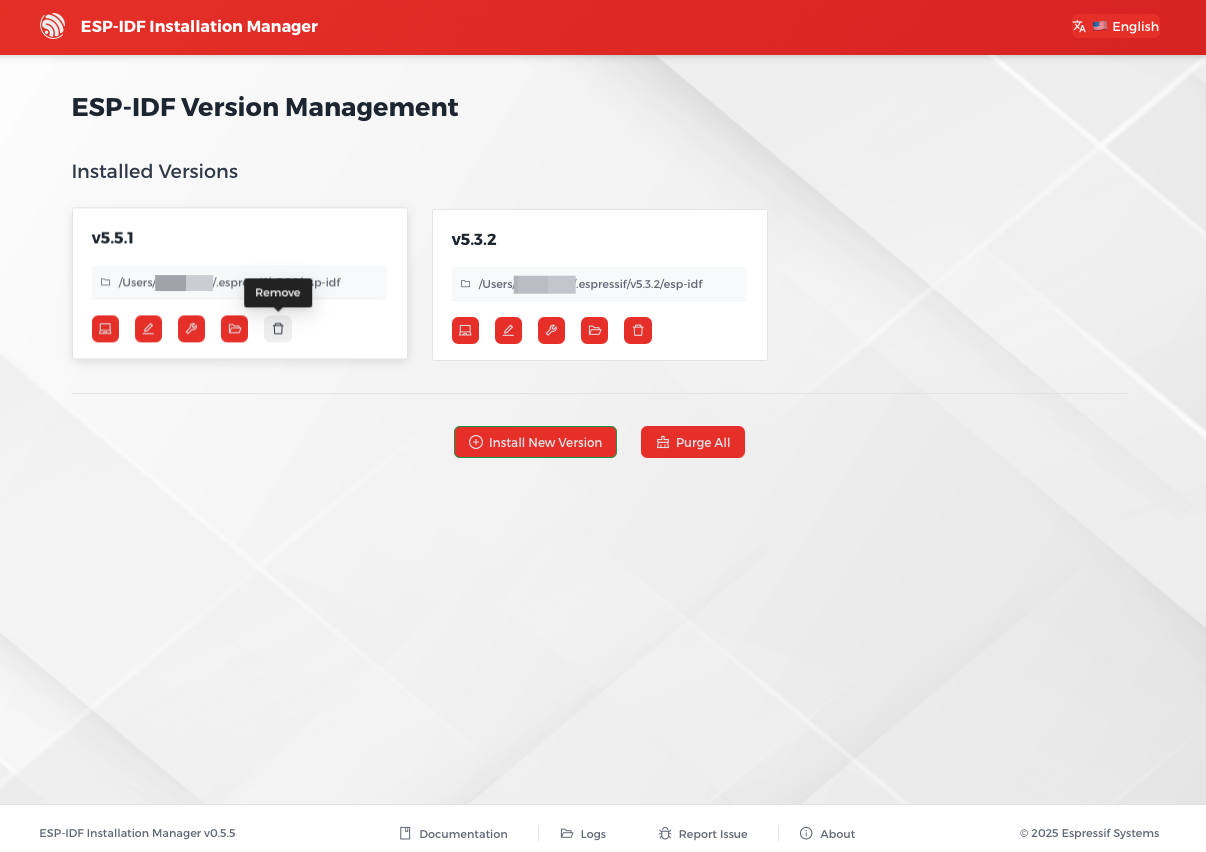
Uninstall ESP-IDF in EIM GUI
Uninstall ESP-IDF Using EIM CLI
To remove a specific ESP-IDF version, for example v5.4.2, run the following command in your terminal:
eim remove v5.4.2
To remove all ESP-IDF versions, run the following command in your terminal:
eim purge