ESP Audio Analyzer
Note
This document is automatically translated using AI. Please excuse any detailed errors. The official English version is still in progress.
Introduction to ESP Audio Analyzer
With the rapid development and expanding application scenarios of smart audio devices, the requirements for audio effects and system performance continue to increase. Espressif has launched a new audio analysis tool, providing convenient and efficient testing methods and standardized processes, combined with an intuitive and easy-to-use web interface and supporting test projects, to support standardized audio testing.
With this tool, users can comprehensively test key audio modules such as microphones, speakers, and AEC, quickly locate and troubleshoot system problems, thereby effectively improving development efficiency and product quality.
Platform Features
Comprehensive functions: Covering microphones, speakers, and AEC, a total of 11 audio tests
Convenient adaptation: Based on ESP Board Manager, it supports quick adaptation of different hardware
Performance analysis: Provide audio indicators such as THD, SNR for reference to evaluate system performance
Standardized process: Provide unified testing methods and evaluation standards
Source data download: Support the export of original recording files for retesting and in-depth analysis
Visual report: Generate structured test reports, including data, charts, and test results
Released:
Test webpage: https://audio-tools.espressif.com.cn/
Supporting project: https://github.com/espressif/esp-adf/tree/master/adf_examples/checks/esp_audio_analyzer_app
Note
This project does not need to rely on the ADF environment, all dependencies are automatically downloaded through the component manager.
Download the project directly through the component manager: https://components.espressif.com/components/espressif/adf_examples/versions/0.1.0/examples/esp_audio_analyzer_app?language=en
Test Process
Environment preparation: Download the supporting test project, and according to the test environment requirements, prepare necessary equipment such as computers, external speakers, microphones, etc., to ensure that the hardware is complete and can be used normally.
Hardware adaptation: The hardware adaptation capability of the test project is provided by the ESP Board Manager, and the board-level support code can be generated with one click by configuring the hardware description file.
Project configuration: Configure parameters such as Wi-Fi according to the project README, compile and burn to the device, the device will connect to Wi-Fi and start the WebSocket server.
Device connection: Visit the device address according to the device log prompt, manually trust the certificate, confirm the device URL in the input box on the left side of the audio test webpage, and click “Connect Device” to start the test.
Audio test: Click on each test item in the title bar to start the test, and you can repeat the same test item multiple times to get stable results. Keep the device network connection stable during the test.
Generate report: After the test is completed, enter the test report page to download the test report, including detailed data, charts, and optimization suggestions, etc.
Homepage:
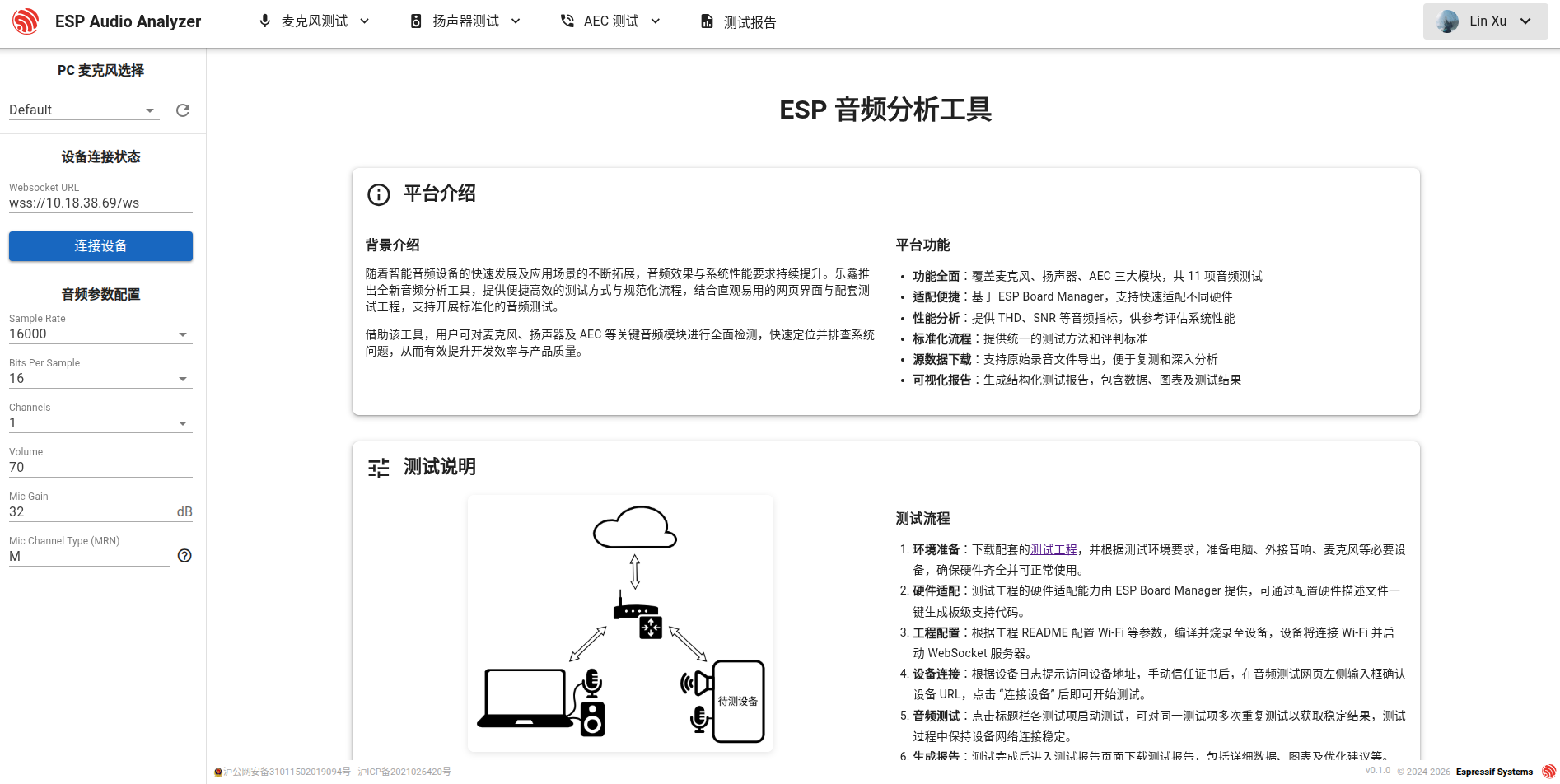
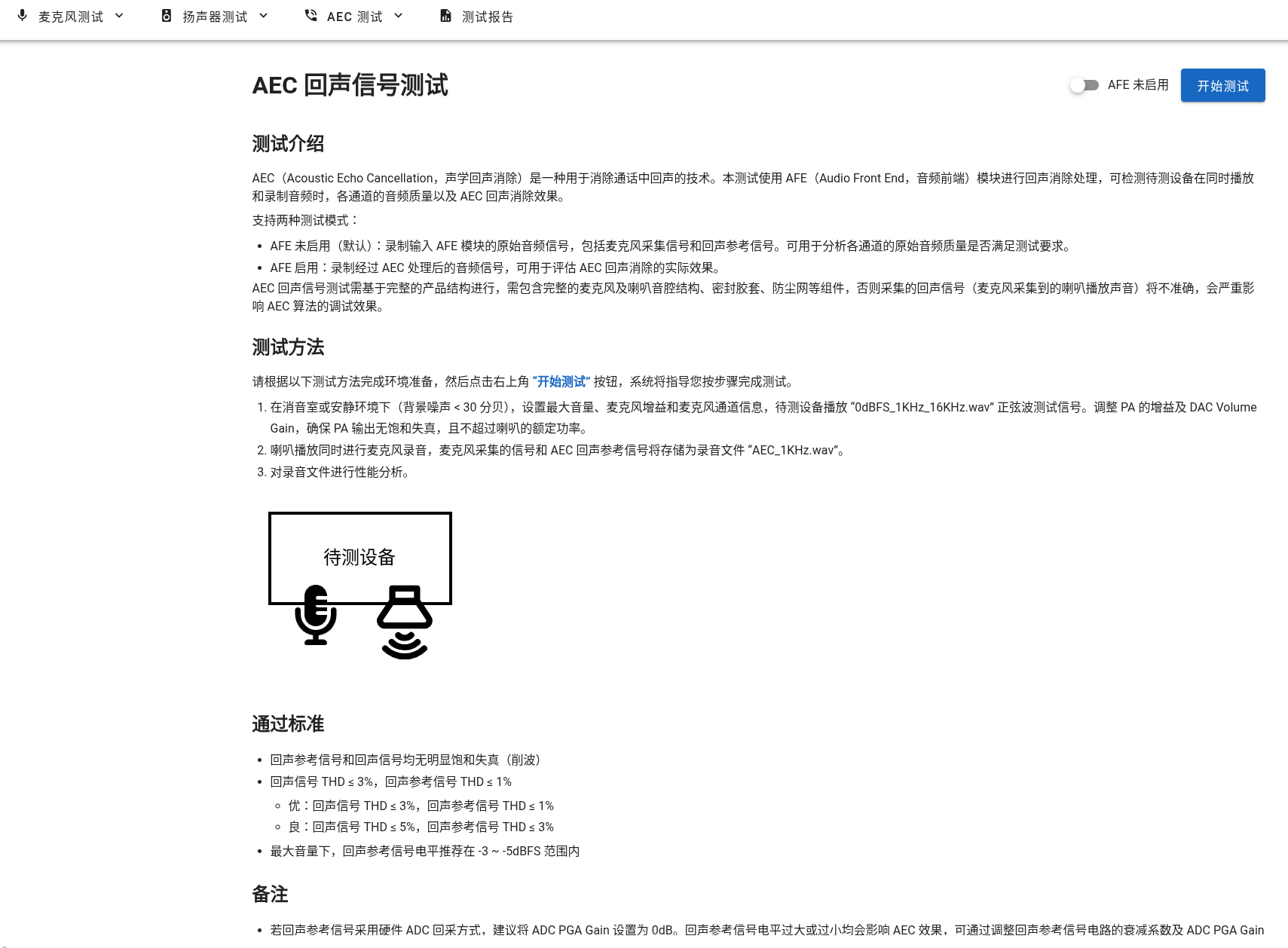
Test project page:
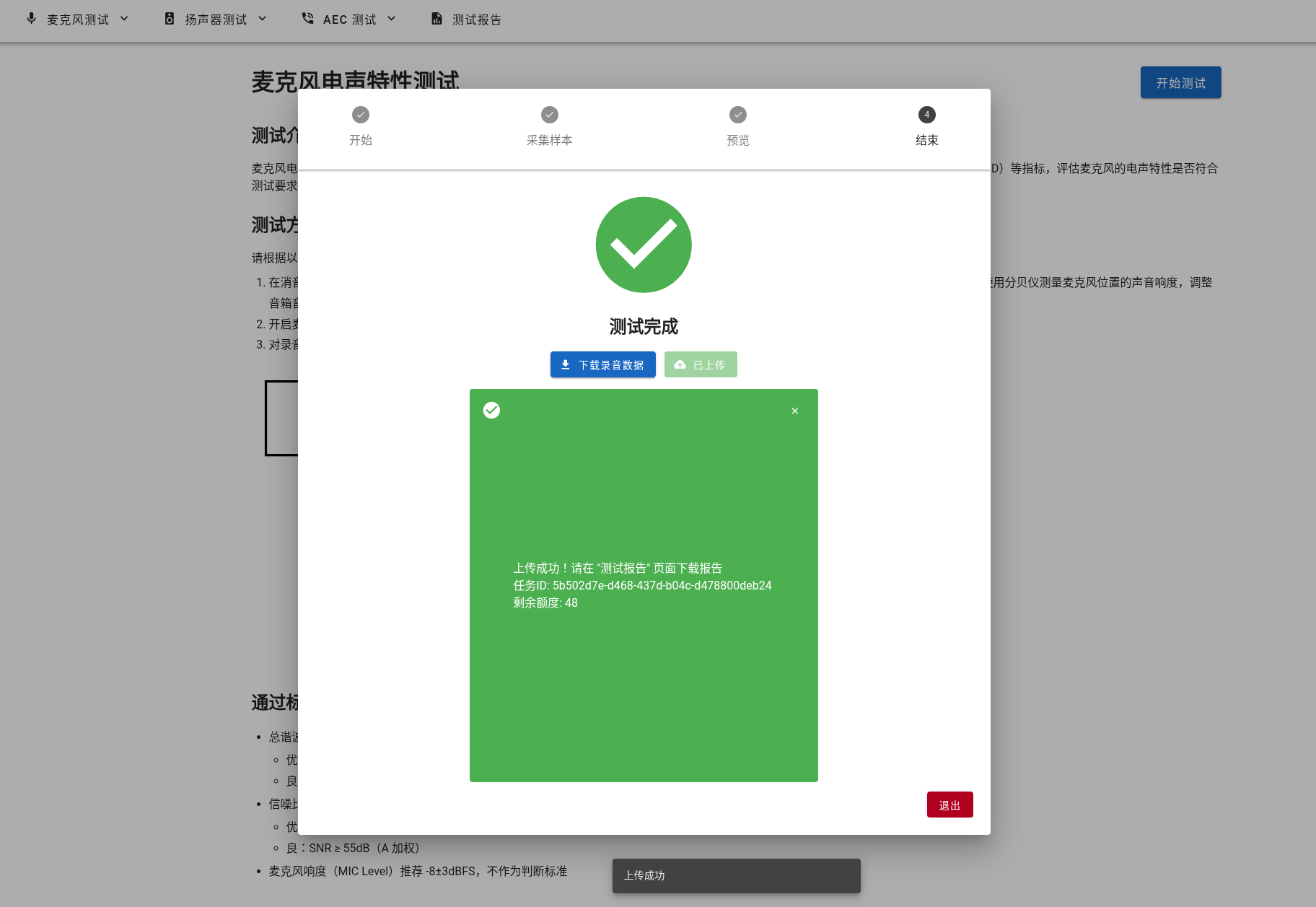
Data upload analysis:
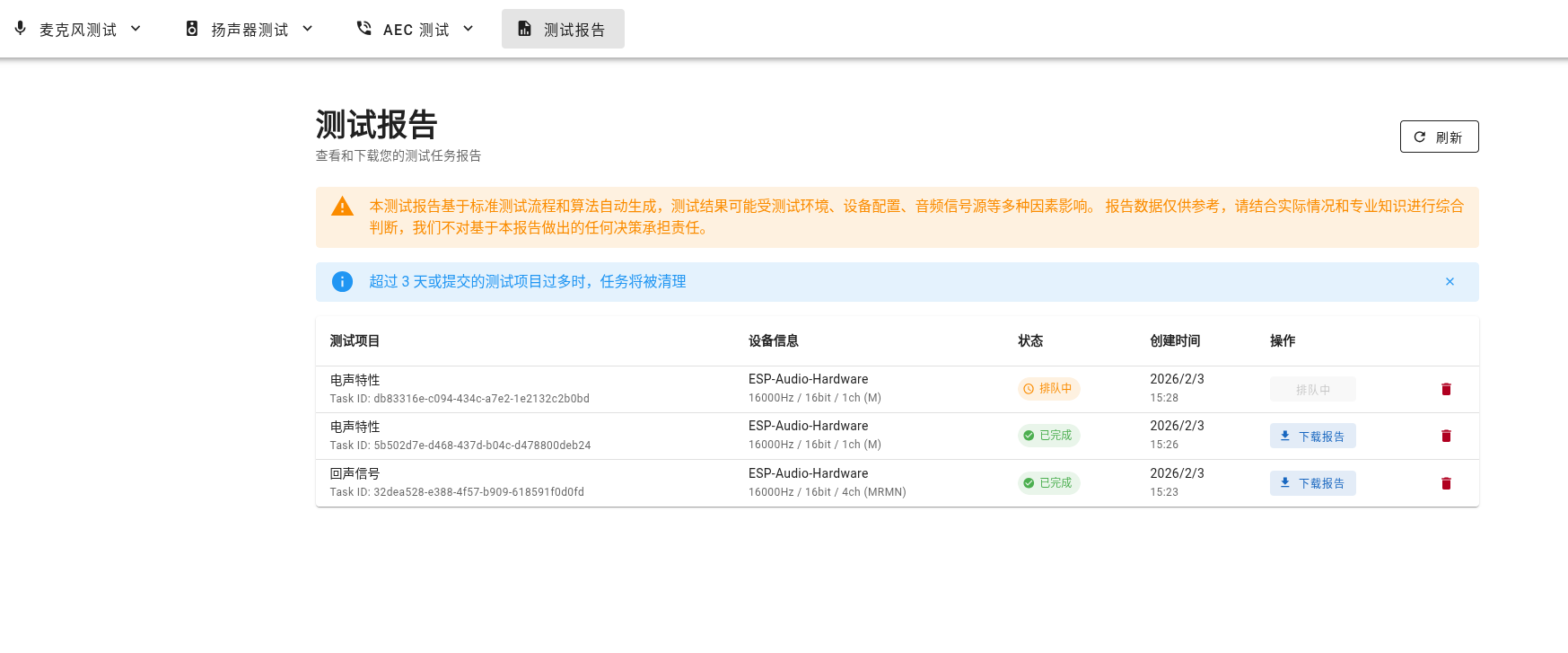
Test Report Retrieval Page:
Test Report Example:
Test Items
Serial Number |
Test Item |
Test Method |
Test Data |
Output Result |
|---|---|---|---|---|
1 |
Microphone Structure Air Tightness Verification |
Play white noise through the speaker, record with the hardware under test (repeat recording with the microphone blocked) |
2 WAVs |
Pass/Acceptable/Deficient |
2 |
Microphone Electroacoustic Characteristics |
Play a 1kHz sine wave through the speaker, record with the hardware under test |
WAV |
Pass/Acceptable/Deficient, SNR, THD |
3 |
Microphone Frequency Response Curve |
Play a continuous sweep frequency through the speaker, record with the hardware under test |
WAV |
Pass/Acceptable/Deficient, Deviation |
4 |
Microphone Background Noise |
No playback, record with the hardware under test with the microphone blocked |
WAV |
Pass/Acceptable/Deficient, Noise_Level, Peak |
5 |
Microphone Array Loudness Consistency |
Play a 1kHz sine wave through the speaker, record with the hardware under test |
WAV |
Pass/Acceptable/Deficient, Level |
6 |
Microphone Array Frequency Response Consistency |
Play a continuous sweep frequency through the speaker, record with the hardware under test |
WAV |
Pass/Acceptable/Deficient, Deviation |
7 |
Microphone Array Phase Consistency |
Play a 1kHz sine wave through the speaker, record with the hardware under test |
WAV |
Pass/Acceptable/Deficient, Phase |
8 |
Speaker Electroacoustic Characteristics |
Play a 1kHz sine wave with the hardware under test, record with other devices |
WAV |
Pass/Acceptable/Deficient, SNR, THD |
9 |
Speaker Sweep Frequency Test |
Play a step sweep frequency with the hardware under test, record with other devices |
WAV |
Pass/Acceptable/Deficient, Level, THD |
10 |
Speaker PA Background Noise |
Play silent audio with the hardware under test, record with other devices |
WAV |
Pass/Acceptable/Deficient, Noise_Level, Peak |
11 |
AEC Echo Signal Correlation |
Play and record a 1kHz sine wave simultaneously with the hardware under test |
WAV |
Pass/Acceptable/Deficient, THD, Level |
FAQ
Device frequently disconnects
Please ensure that the computer and the device are connected to the same Wi-Fi network
To improve connection stability, please test in an environment with less interference
Insufficient audio data recorded, or recording terminated prematurely
A common reason is that the volume of audio data is too large, causing delays in transmission. You can try to increase the size of WS_AUDIO_BUFFER_SIZE in app_websocket.c
You can try to improve Wi-Fi performance, refer to the Wi-Fi Performance Optimization document for optimization, or shorten the distance between the device and the router
Unable to start WebSocket server
A common reason is insufficient internal memory in the system, it is recommended to enable PSRAM to reserve more internal memory space
Prompt of insufficient IRAM space during compilation and linking
Please refer to the IRAM Optimization document to turn off unnecessary optimization options