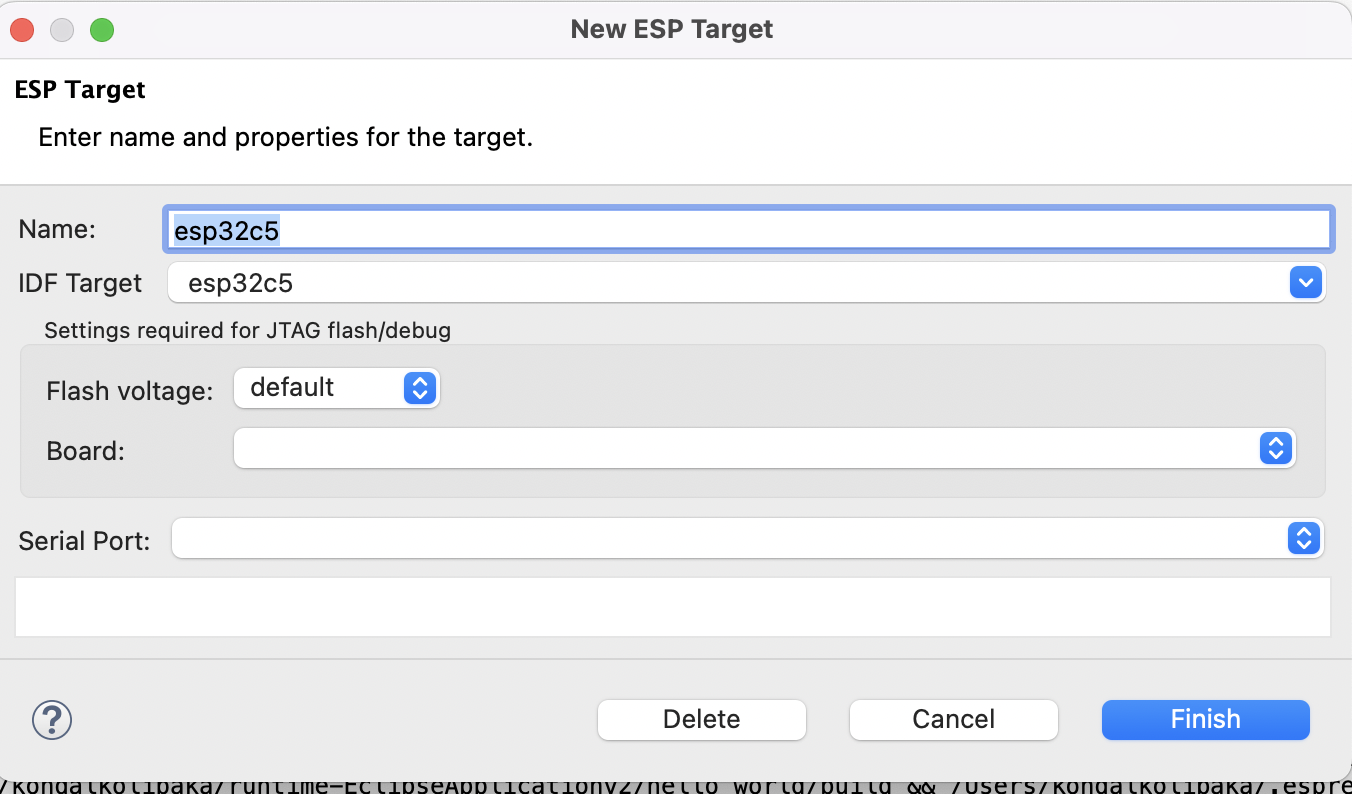
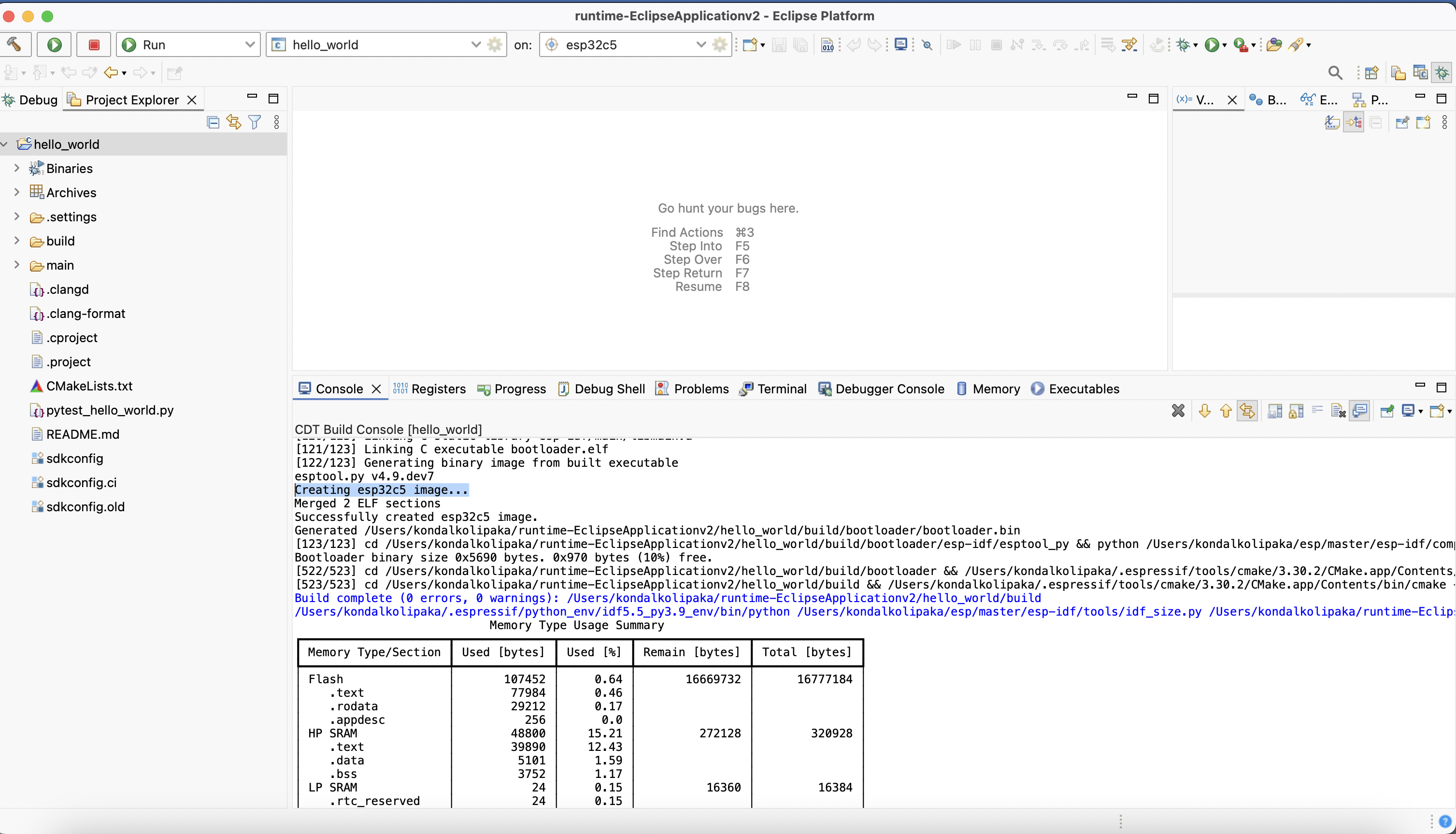
Add a Preview or Custom ESP-IDF Target in the IDE
To add support for any preview or custom ESP-IDF target (such as ESP32-C5 or other targets not listed by default in the IDE), follow these steps:
Step 1: Configure Toolchain
Go to
Preferences>C/C++>Core Build Toolchain.Under
User Defined Toolchains, clickAdd.Select
GCCand configure as follows:Compiler: Path to the toolchain compiler for your target, e.g.,
/Users/testuser/.espressif/tools/riscv32-esp-elf/esp-14.2.0_20241119/riscv32-esp-elf/bin/riscv32-esp-elf-gccOperating System: e.g.,
esp32c5for ESP32-C5CPU Arch: e.g.,
riscv32for ESP32-C5
Click
Finish.
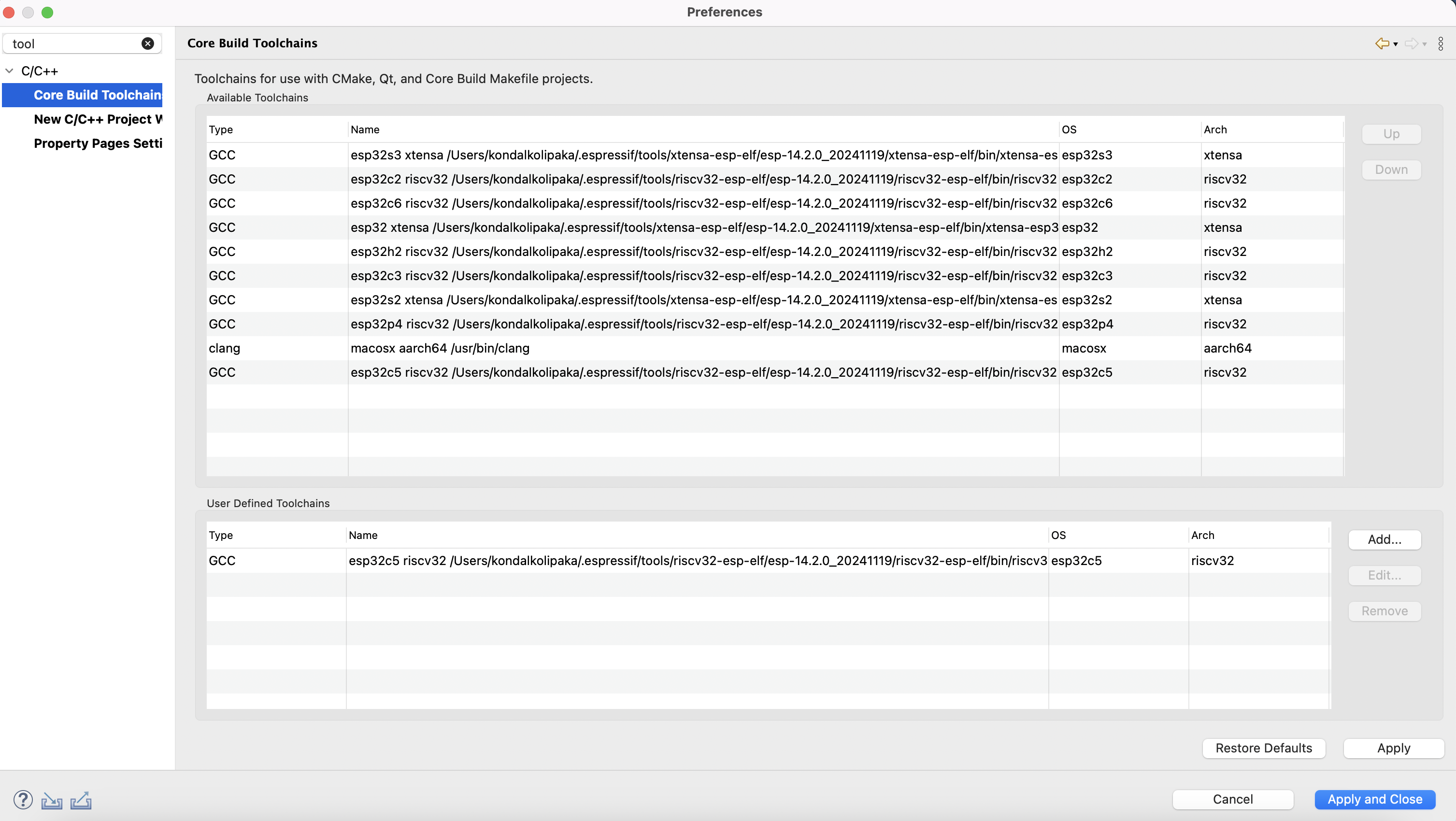
Core Build Toolchains Preferences: Adding a custom/preview target toolchain (example: ESP32-C5)
Step 2: Configure CMake Toolchain
Navigate to
Preferences>C/C++>CMake.Click
Add.Browse and select the CMake toolchain file for your target (e.g.,
toolchain-esp32c5.cmake).Choose the corresponding toolchain entry created in Step 1.
Click
Finish.
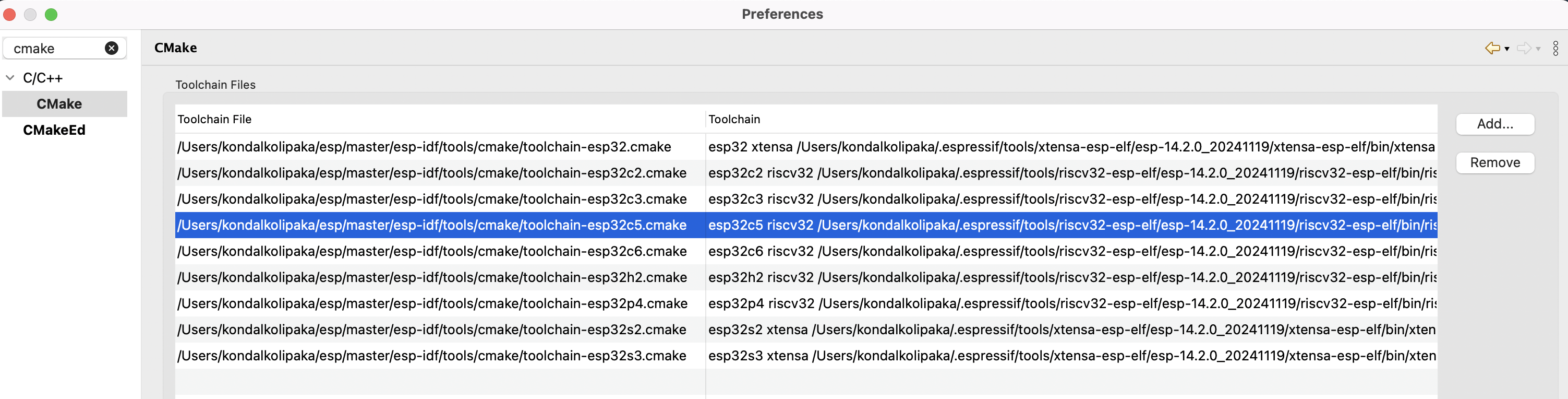
CMake Toolchain Preferences: Adding a custom/preview target toolchain file (example: ESP32-C5)