Default Values and Their Inference
In original kconfiglib, when the configuration was written out to e.g. sdkconfig file, all the values were considered user-set, no matter if the user actually set them (even indirectly via e.g. sdkconfig.defaults). This behavior resulted in rather confusing situations; when e.g. conditional default values were not updated if the condition was changed.
Note
This note is intended primarily for component maintainers.
The information below applies only to configuration options that have a prompt. Promptless config options have different value inference. When loading sdkconfig[.defaults] files, the values for promptless config options are always ignored (their value is always set to the Kconfig default value). These config options are also hidden in configuration tools, such as menuconfig, and cannot be changed by the user.
Consider the following example:
# Kconfig file

config A
    bool "Option A"
    default y

config B
    int "Option B"
    default 42 if A
    default 0 if !A
# sdkconfig file
# Let's suppose both values were not set by the user, but rather automatically inferred
CONFIG_A=y
CONFIG_B=42
If a user runs menuconfig and changes the value of CONFIG_A to “n”, CONFIG_B would still be set to 42, even though, based on the Kconfig file, it should be 0. This is because the value of CONFIG_B was considered user-set, even though it was not. To fix this behavior, the inference of default values was reworked in esp-idf-kconfig. During writeout of the sdkconfig file, the configuration system now distinguishes between user-set and inferred (default) values. Default values have a # default: comment/pragma preceding the given line:
# sdkconfig file. Explicitly stated that both values are default.
# default:
CONFIG_A=y
# default:
CONFIG_B=42
The configuration system now determines the value for a given config option as follows. Differences from the original approach used in esp-idf-kconfig<3 are marked with (new). The list is ordered by priority (from highest to lowest):
Value set by the user in current run of
menuconfigtool.User-set value from
sdkconfigfile.Value from
sdkconfig.defaultsfile. These values are also considered user-set.(new) Default value from
sdkconfigfile.Default value from the Kconfig file.
Note
The sdkconfig.defaults, despite its name, contains user-set values. The word “defaults” in the file name does not refer to default values as configuration system understands them, but rather default values (overrides) for given project.
Differing Default Values Between sdkconfig and Kconfig Files
When updating components or ESP-IDF itself, it may happen that the default value for a given configuration option differs between sdkconfig and Kconfig:
# Kconfig file

config C
    int "Option C"
    default 100 # in the previous version of the Kconfig file, it was 42
# sdkconfig file
# CONFIG_C still has default value from previous version of Kconfig file
# default:
CONFIG_C=42
In this case, the configuration system notifies the user that sdkconfig and Kconfig default values are different. The default behavior is to use the value from the sdkconfig file in order to maintain backward compatibility. The configuration system also supports choosing a default value source via the KCONFIG_DEFAULTS_POLICY environment variable. The following values are supported:
sdkconfig- use the value fromsdkconfigfile (default).kconfig- use the value from Kconfig file.interactive- ask the user to choose the source of the default value.
For more information about how the configuration system reports default value mismatches in the configuration report, see Default Value Mismatch.
Resolving Default Value Mismatches
There are three main methods to resolve default value mismatches:
Using the
menuconfigtool. This is the most convenient way to resolve default value mismatches. It allows the user to review and resolve mismatches one by one or all at once.Directly setting the
KCONFIG_DEFAULTS_POLICYenvironment variable. Useful when multiple projects need to be resolved with the same policy automatically.External tools and commands. E.g.
idf.py refresh-configcommand in ESP-IDF v6.1 and later. Functionality is similar to the resolve process ofmenuconfigtool, but remains completely in the command line, which may become unintuitive for users.
Using menuconfig
When menuconfig loads a configuration that has unresolved default value mismatches, a notice appears in the bottom right of the main window. It reports how many mismatches are left (for example 2 default value mismatches) and shows Press M to review.
The footer also lists m Resolve mismatches in defaults. This key opens the mismatch list screen.
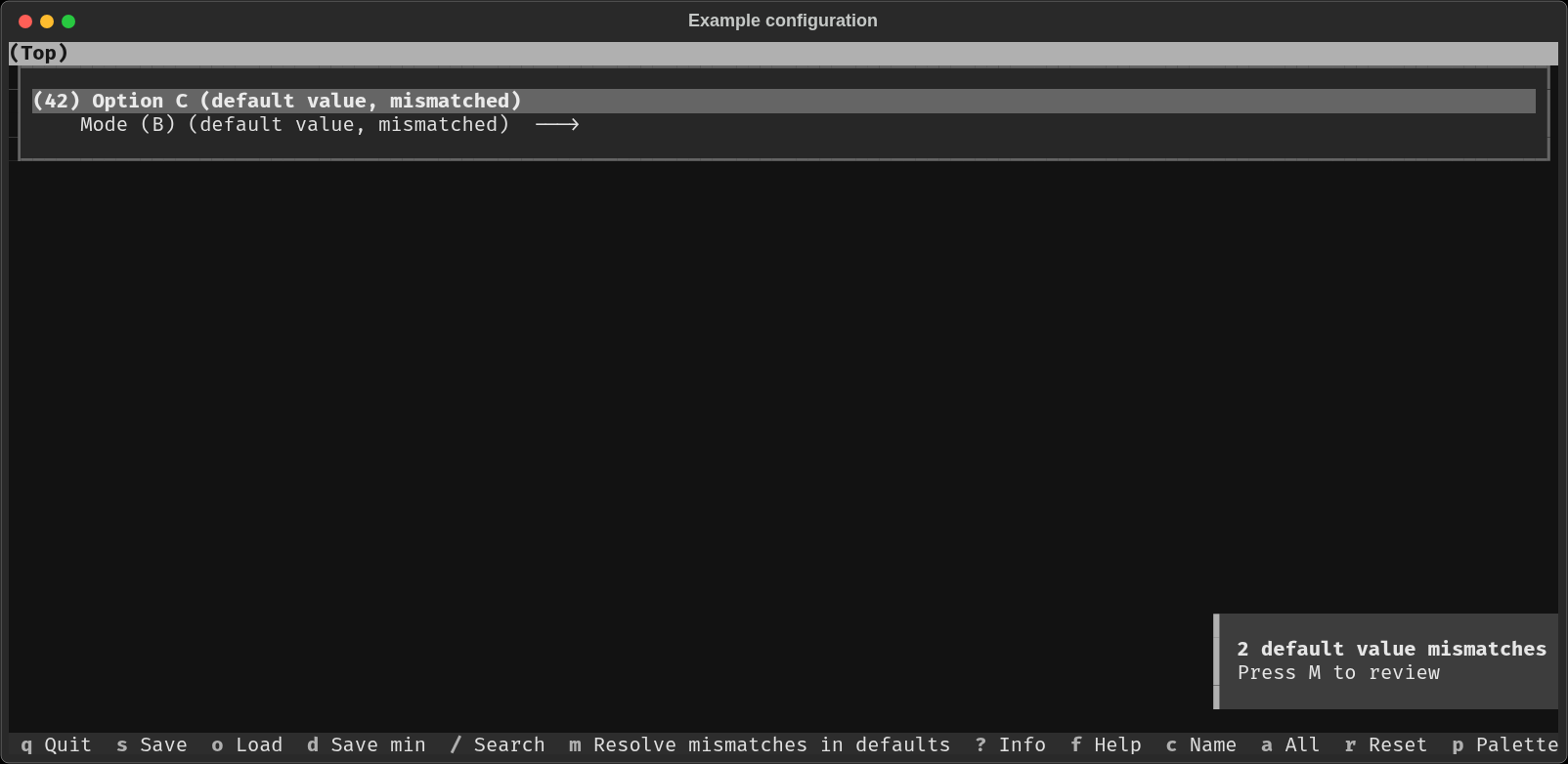
The main menuconfig window with a notice about unresolved default value mismatches.
The notice stays until every listed option has resolved default value mismatch. If you leave the list without resolving all of them, the notice shows the remaining count of unresolved mismatches.
After pressing m, the mismatch list screen opens. The list is split into Config options and Choices.
A banner above the table states the active KCONFIG_DEFAULTS_POLICY and
which of the two values it makes current, for example
Defaults policy: sdkconfig. The current value of each option below comes
from sdkconfig; Kconfig is the alternative.
Each row then has four columns:
name, and two value columns naming their source, e.g. current (from
sdkconfig) and alternative (from Kconfig), and Resolution. The current
value column always comes first and is fixed for the whole screen, except
under KCONFIG_DEFAULTS_POLICY=interactive, where each option could have
been resolved to a different source already; the columns then fall back to
the plain Kconfig value/sdkconfig value labels. Naming the source in
the header is what tells you which value the k/s keys below will
apply.
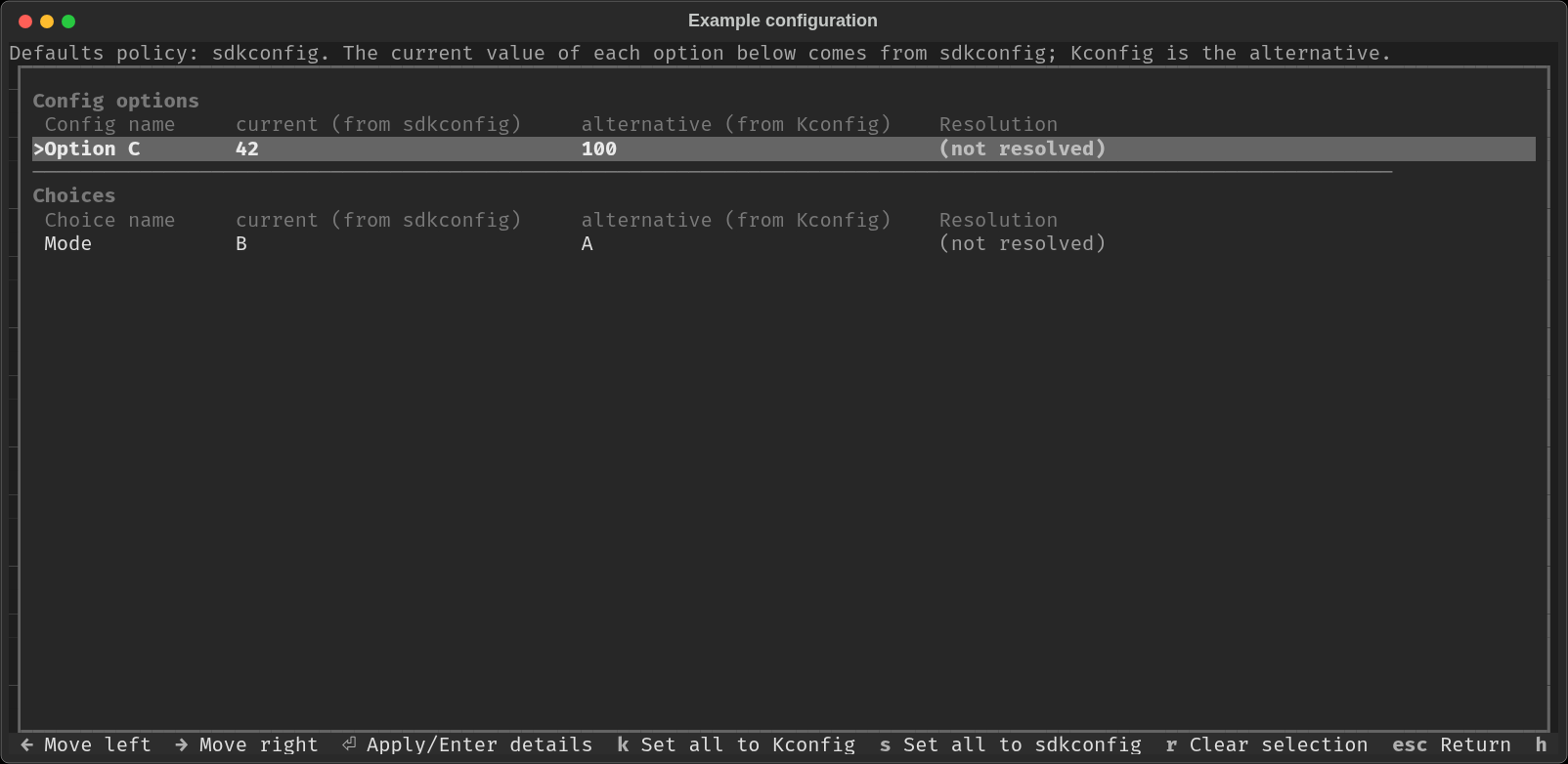
The default value mismatches list.
Resolution starts as (not resolved).
Use the up and down keys to move between rows.
Left and right move a > marker between the name, the current value, and
the alternative value, focusing on the selected column.
Enter on the current value or alternative value column selects that value for the highlighted row. Resolution then shows
user-set current value (source1)oruser-set alternative value (source2), naming the source of the selected value (source1 or source2). The sources are “Kconfig” or “sdkconfig”. Which source contains the current and which contains the alternative value is determined by the activeKCONFIG_DEFAULTS_POLICY. Selections are only written to the configuration when you leave the screen and confirm them.Enter on the name opens a detail dialog with the name, the definition location in the Kconfig file, and both values. Left and right choose a value, Enter applies it, and Esc leaves without a change.
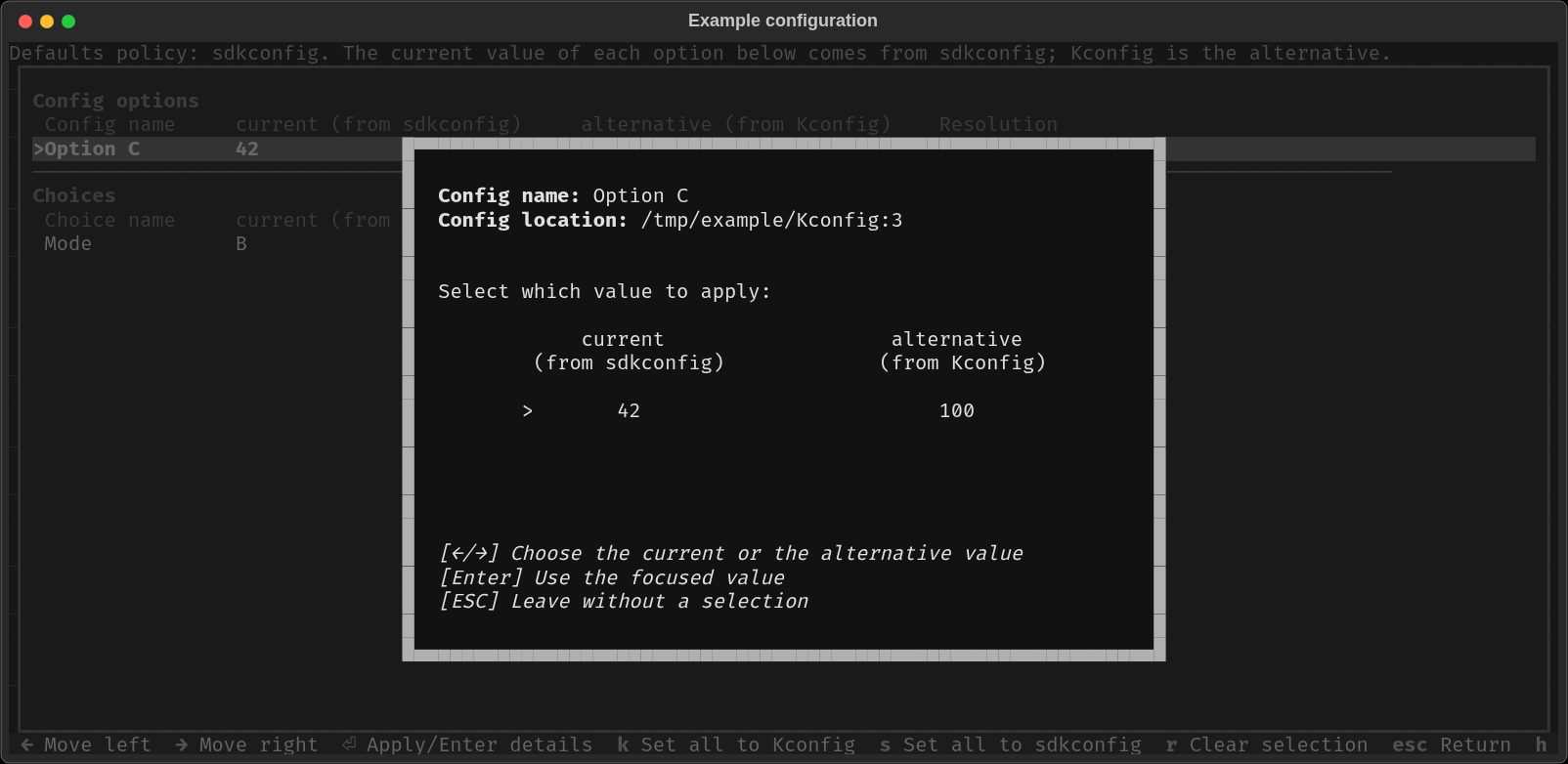
Detail dialog for one mismatched option.
Other keys are listed in the footer:
kselects the Kconfig value for every row.sselects the sdkconfig value for every row.rdrops the selection on the highlighted row. Resolution returns to(not resolved).EscorBackspacereturns to the main window. If you changed any row, you are asked whether to apply the selections, discard them, or stay on the screen. Rows resolved in an earlier visit keep their Resolution when the screen is reopened.hopens a short help text.
Using KCONFIG_DEFAULTS_POLICY
To choose a default source for every mismatch when the configuration is loaded,
set the KCONFIG_DEFAULTS_POLICY environment variable.
For example, to be asked for each mismatch, run the configuration tool with
KCONFIG_DEFAULTS_POLICY=interactive.
External tools and commands
Frameworks and projects using esp-idf-kconfig can provide their own wrapper
command for this.
ESP-IDF v6.1 and later provides the idf.py refresh-config command.
See the blogpost about default values in recent ESP-IDF
for more details.