Configure ESP32-C5 Built-in JTAG Interface
ESP32-C5 has built-in JTAG circuitry and can be debugged without any additional chip. Only a USB cable connected to the D+/D- pins is necessary. For dev kits without an exposed USB Serial Jtag connector, a USB breakout cable can be used. The necessary connections are shown in the following section.
Configure Hardware
ESP32-C5 Pin |
USB Signal |
|---|---|
GPIO13 |
D- |
GPIO14 |
D+ |
5V |
V_BUS |
GND |
Ground |
Please verify that the ESP32-C5 pins used for USB communication are not connected to some other HW that may disturb the JTAG operation.
Configure USB Drivers
JTAG communication should work on all supported platforms. Windows and Linux require extra steps as described below.
Windows
Windows users might get LIBUSB_ERROR_NOT_FOUND errors. To resolve this, install drivers using one of the following methods:
In Espressif Installation Manager (EIM) graphical user interface (GUI), click
Open DashboardunderManage Installations, and then clickInstall Drivers: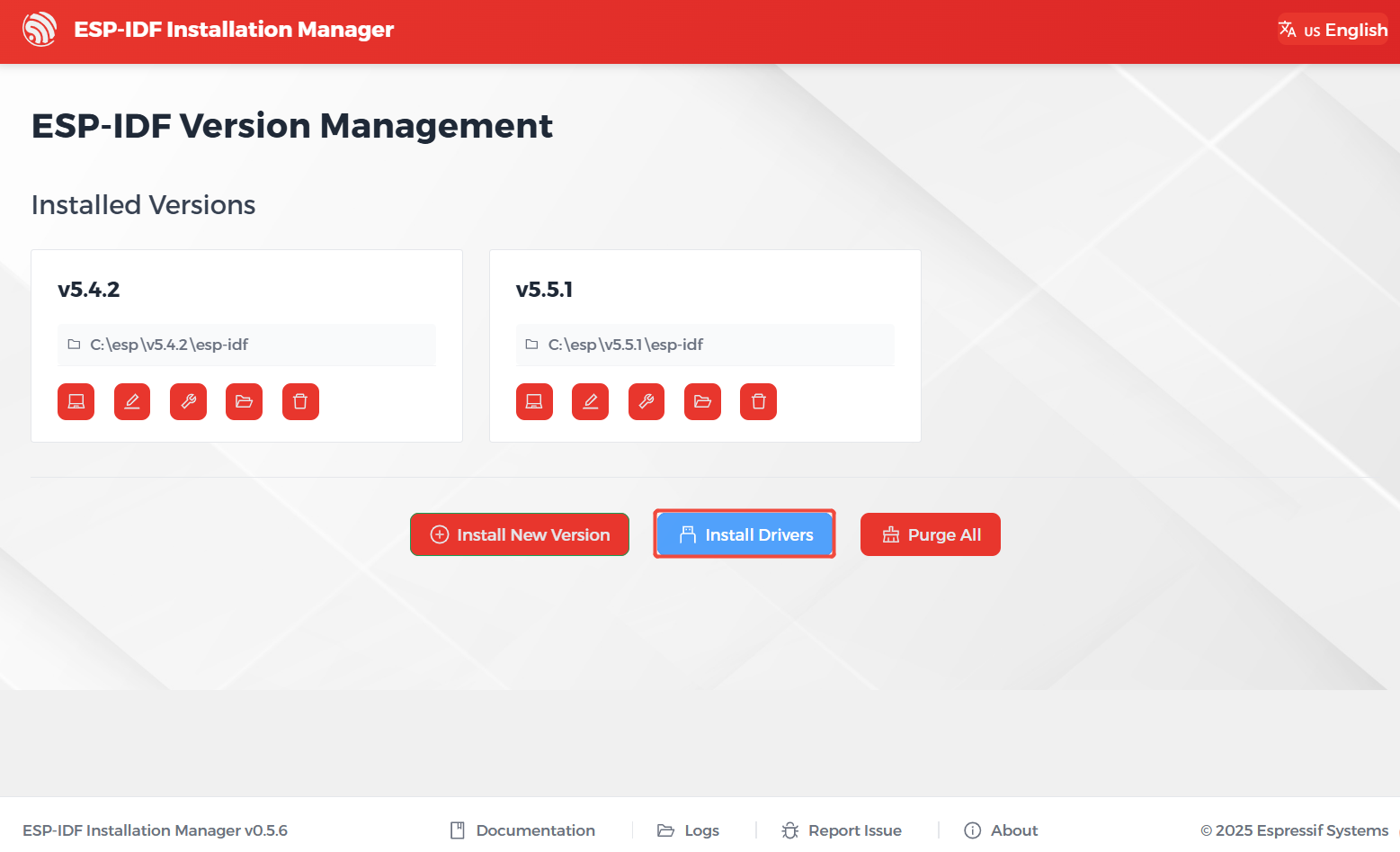
Install Drivers in EIM GUI
Run the following command from PowerShell to install drivers with EIM command line interface:
eim install-driversRun the following command from PowerShell to install drivers with idf-env:
Invoke-WebRequest 'https://dl.espressif.com/dl/idf-env/idf-env.exe' -OutFile .\idf-env.exe; .\idf-env.exe driver install --espressif
Linux
On Linux adding OpenOCD udev rules is required and is done by placing the following udev rules file in the /etc/udev/rules.d folder.