ESP-IDF Application Size Analysis
The Application Size Analysis editor helps you examine your application’s static memory usage. It has two sections:
Overview: Summarizes the application’s memory usage.Details: Shows detailed component and per-symbol memory information, with search and sort features.
To launch the Application Size Analysis editor:
Right-click on the project.
Select
ESP-IDF: Application Size Analysismenu option to launch the editor.
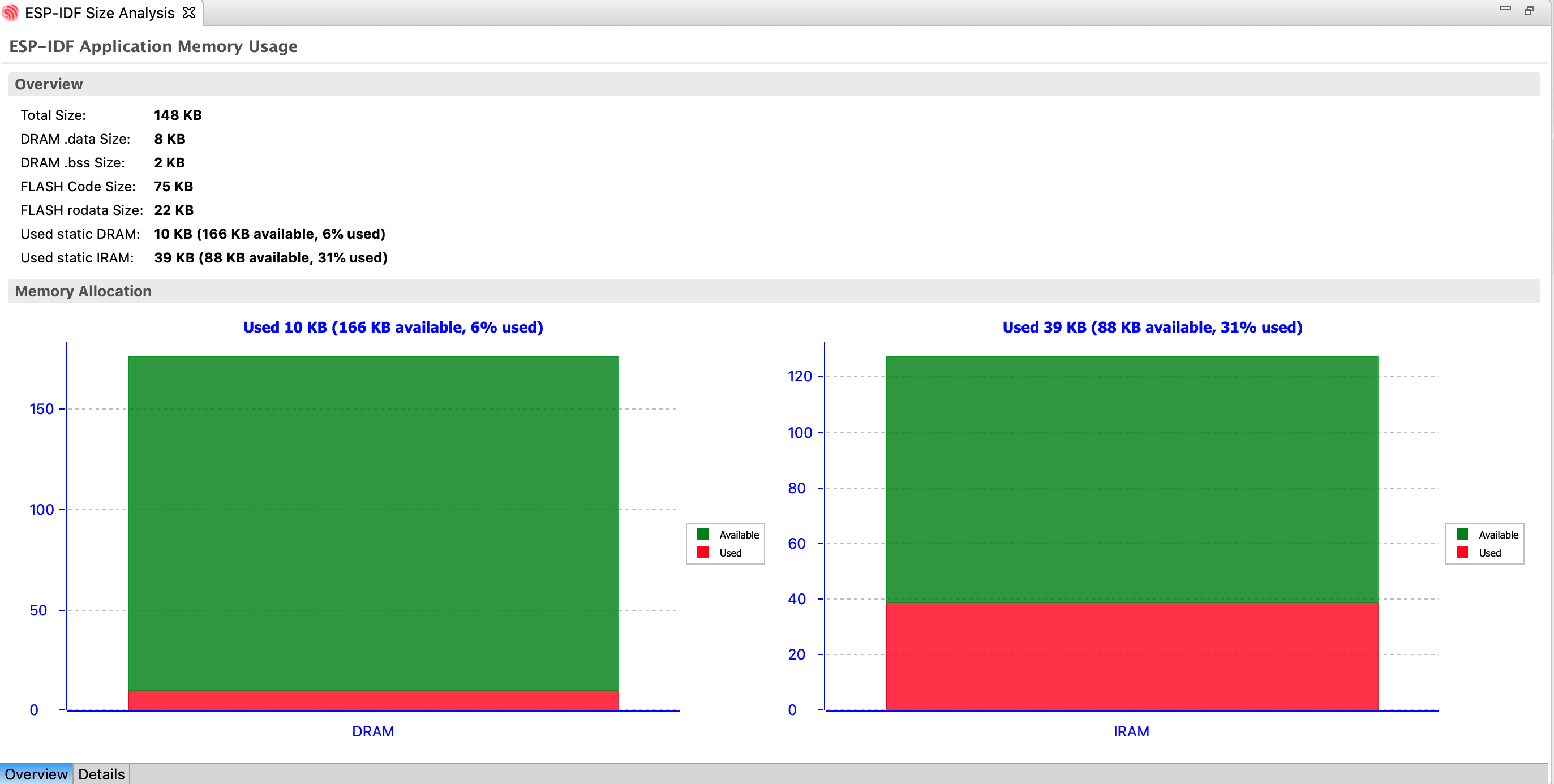
Application Size Analysis – Overview
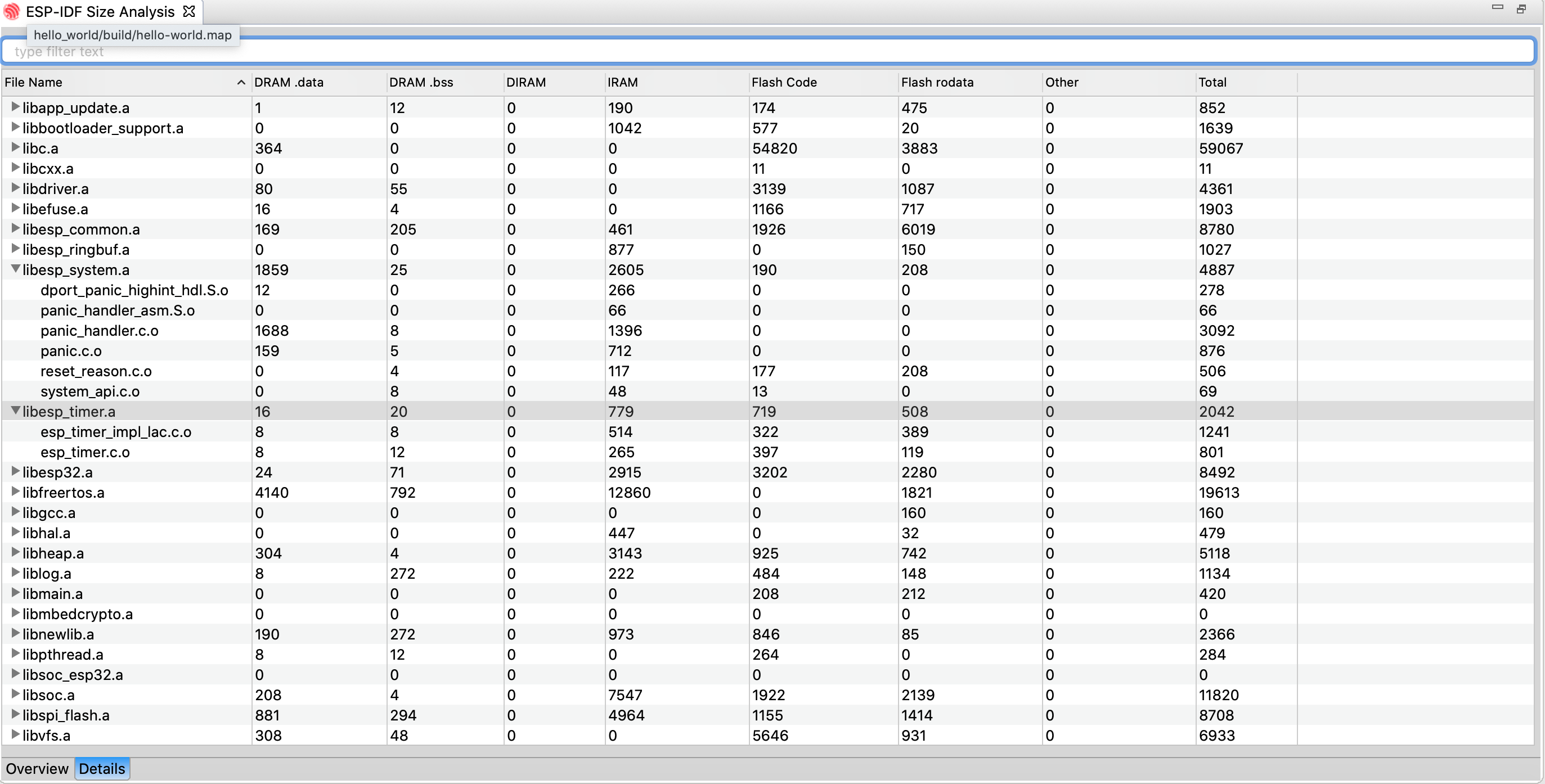
Application Size Analysis – Details