NVS Table Editor
The NVS Table Editor helps create a binary file based on key-value pairs provided in a CSV file. The resulting binary file is compatible with the NVS architecture as defined in ESP-IDF Non-Volatile Storage. The expected CSV format is:
key,type,encoding,value      <-- column header (must be the first line)
namespace_name,namespace,,   <-- First entry must be of type "namespace"
key1,data,u8,1
key2,file,string,/path/to/file
Note
This is based on ESP-IDF NVS Partition Generator Utility.
Steps
Right-click on a project in the Project Explorer.
Click on the
ESP-IDF: NVS Table Editormenu option.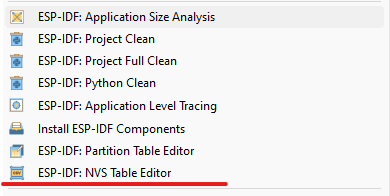
Make desired changes to the CSV data.
Save changes by clicking the
Savebutton. If everything is correct, you will see an information message at the top of the dialog: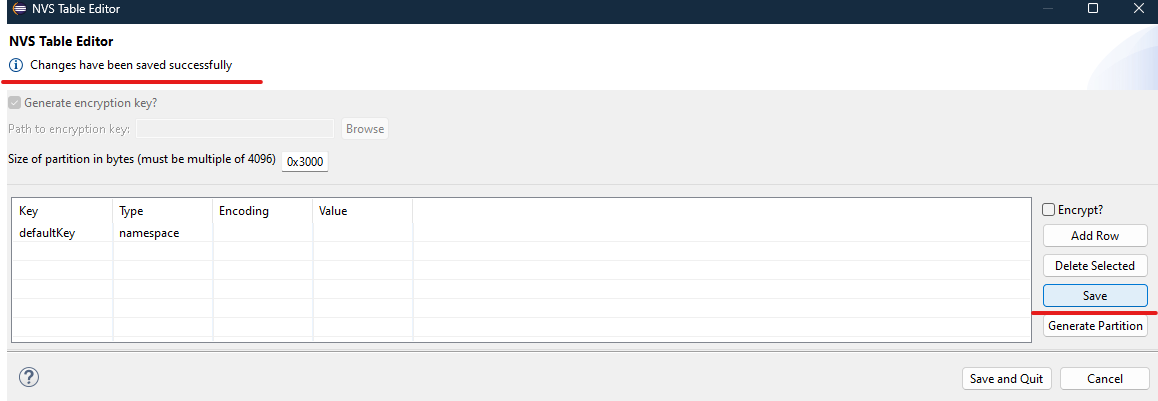
Generate the partition binary. Choose
Encryptto encrypt the binary, and disable theGenerate Keyoption if you want to use your own key. An information message will appear at the top of the dialog showing the result of the generated binaries. Hover over the message to view the full content if it is truncated: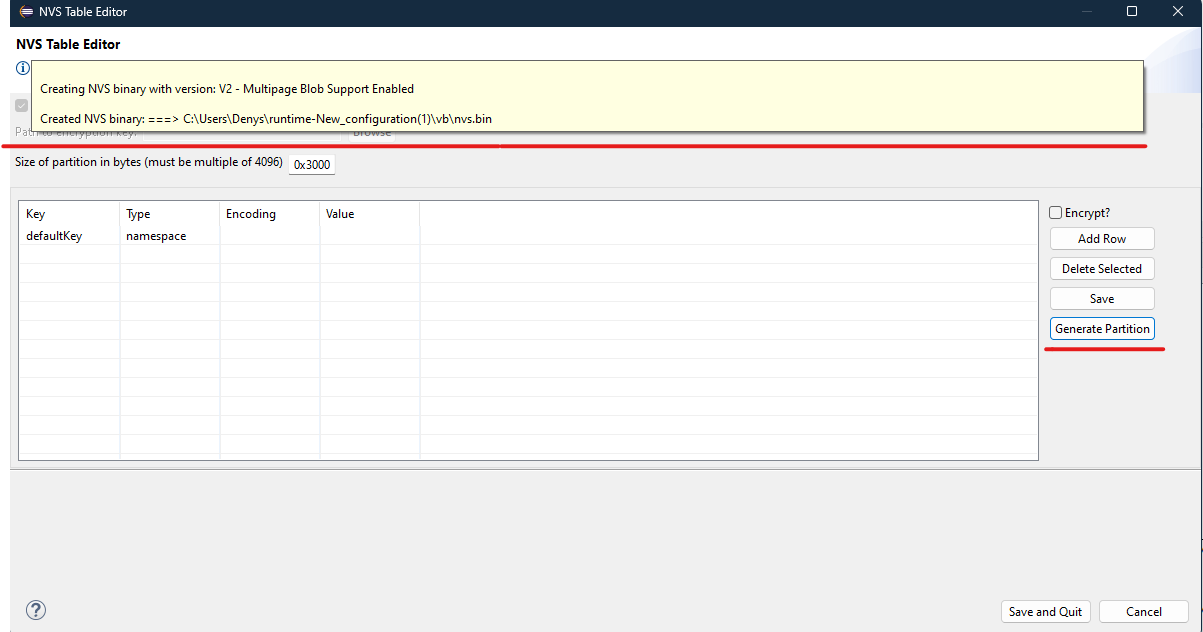
Note
If there are any errors, they will be highlighted. Hover over the error icon to read more about the error. An error message will also appear at the top of the dialog.