Partition Table Editor
The Partition Table Editor command allows you to edit your partition table in a more convenient way. It provides a view of the supported types and subtypes and helps you verify the correctness of the entered data.
Steps
Go to
Project Explorerand open any IDF Project where you want to create a customized partition table.In
Project Explorer, right-click on the project and selectESP-IDF: Partition Table Editor: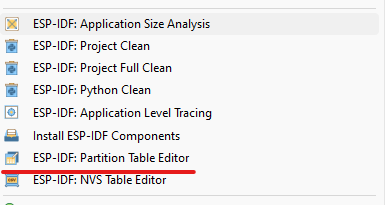
When you open the partition table editor for the selected project, you will see the standard editable content. Any errors will be highlighted, and you can hover the mouse over them to see hints about the issues.
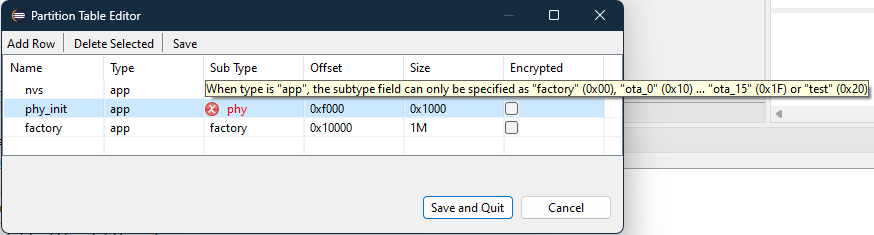
Click
SaveorSave and Quitto save your changes.
To Use a Customized Partition Table
Go to SDK Configuration and set Custom partition table CSV as shown below:
