Espressif-IDE LSP Support for C/C++ Editor
The Espressif-IDE 3.0.0 or later now includes the Eclipse CDT-LSP, enabling support for the latest C/C++ standards and providing an LSP-based C/C++ Editor. This editor, powered by the LLVM clangd C/C++ language server, offers advanced functionality for ESP-IDF developers.
In line with this enhancement, we have discontinued support for the standard CDT Editor/Indexer, as it only supports up to C++ 14. This has been replaced with a new LSP editor, especially considering that ESP-IDF now utilizes C++ 20 (with GCC 11.2) in v5.0.x, transitions to C++ 23 (with GCC 12.1) in v5.1, and to C++ 23 (with GCC 13.1) in v5.2.
The LSP powered C/C++ editor greatly benefits ESP-IDF developers by aligning with the latest language standards and compiler versions, enhancing productivity, and improving code quality.
You can find more details on the LSP based C/C++ editor features in the documentation of the Eclipse cdt-lsp repository.
Prerequisites
You need Espressif-IDE 3.0.0 or later to access the LSP-powered C/C++ editor.
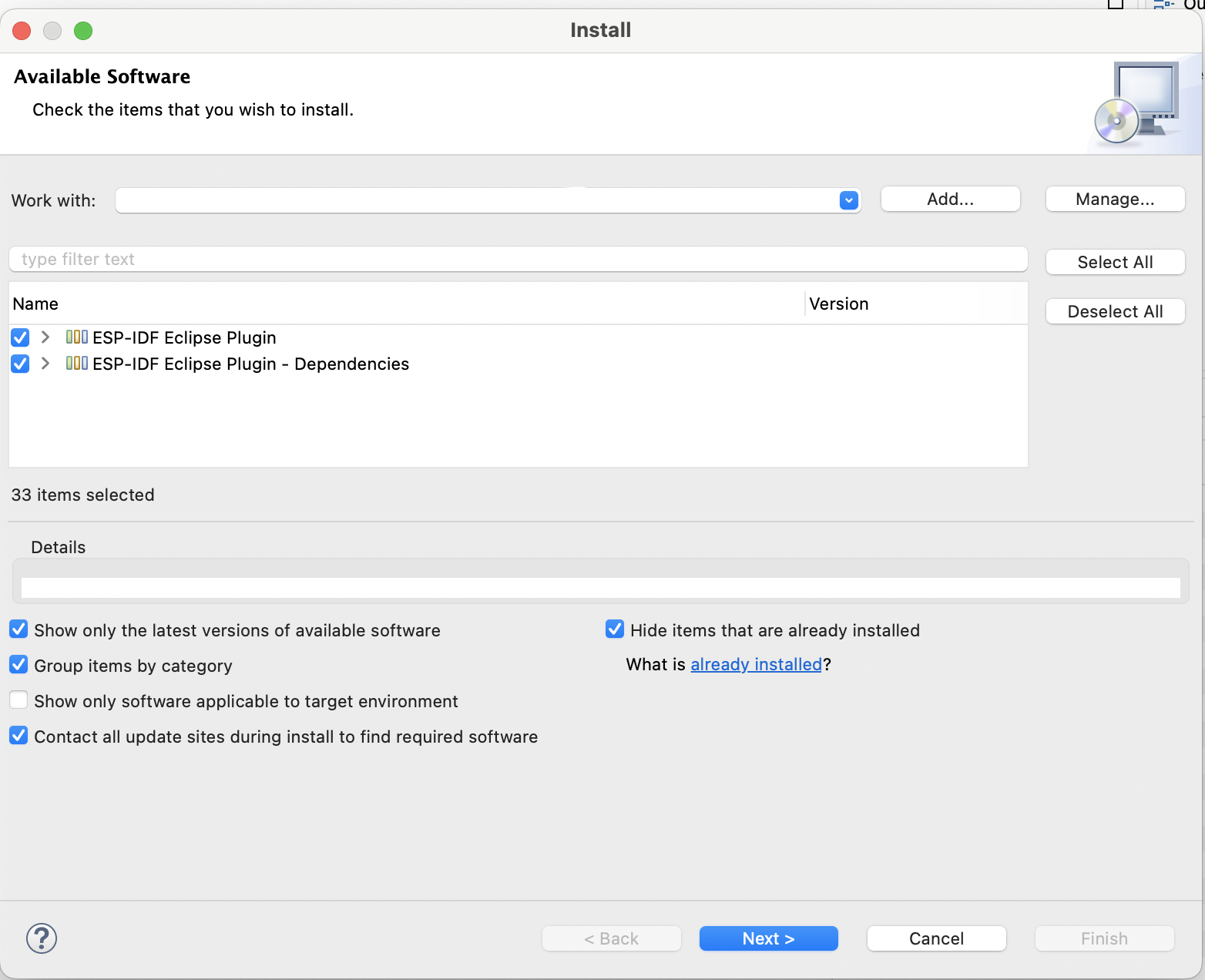
If you are updating Eclipse CDT or Espressif-IDE via the update site, you need to select the ESP-IDF Eclipse Plugin and its dependencies, as shown below:
Clangd Configuration
By default, the esp-clang toolchain is installed as a part of the ESP-IDF tools installation process, and clangd Path is configured in the preferences.
The Drivers path and --compile-commands-dir path will be configured based on the selected target (esp32, esp32c6, etc.) and the project being built.
However, if there are any issues in configuration, this can be configured in the following way:
Go to
Window>Preferences>C/C++>Editor(LSP).Navigate to
clangdnode.Provide
Driverspath as shown in the screenshot.Set
--compile-commands-dir=/project/buildin the additional argument section.Click on
Apply and Close.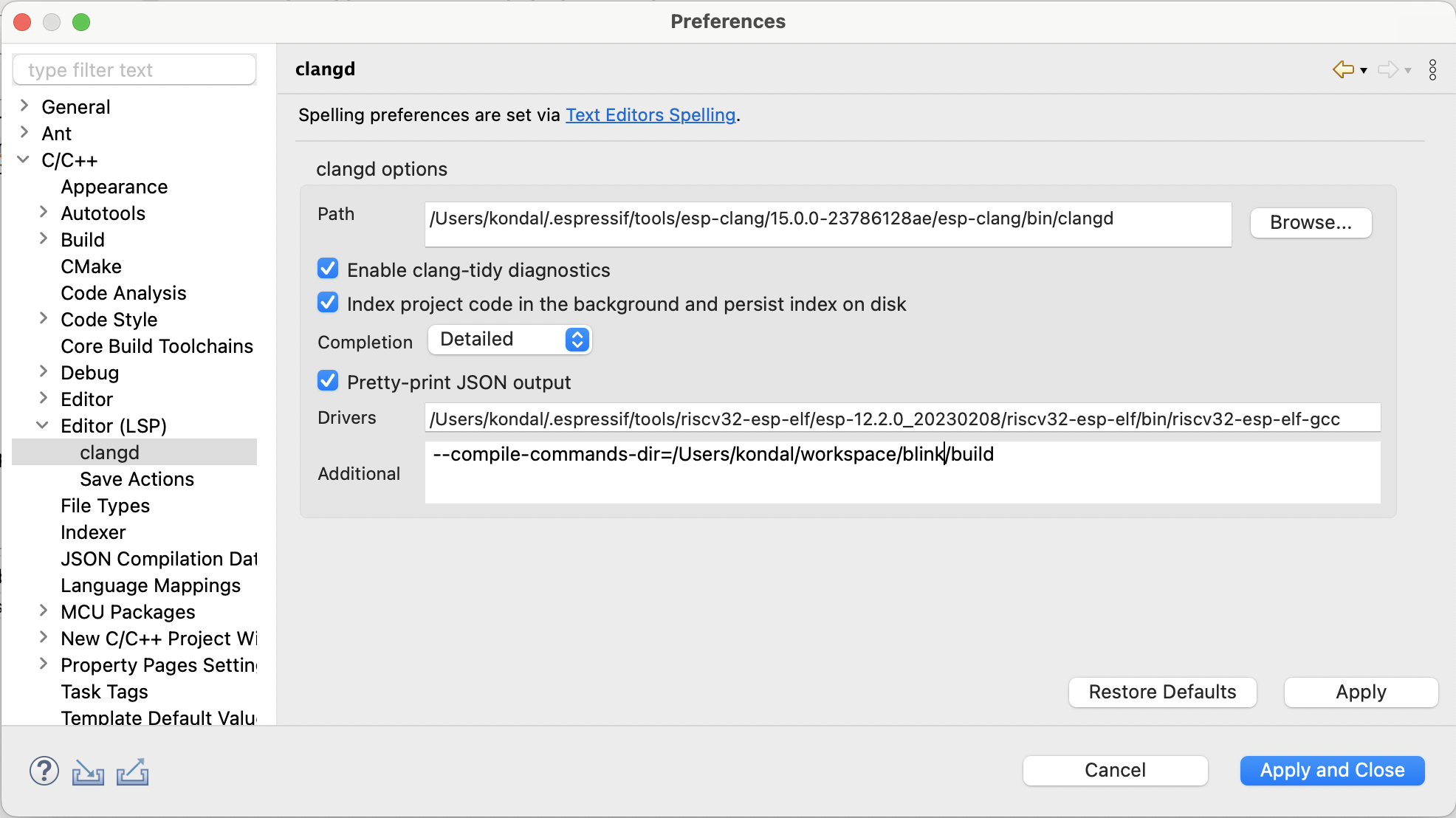
By default, when you create a new project, a .clangd configuration file is generated automatically.
If you are migrating a project from an older version, you need to create a .clangd file manually in the project root and add the following content:
CompileFlags:
    CompilationDatabase: build
    Remove: [-m*, -f*]
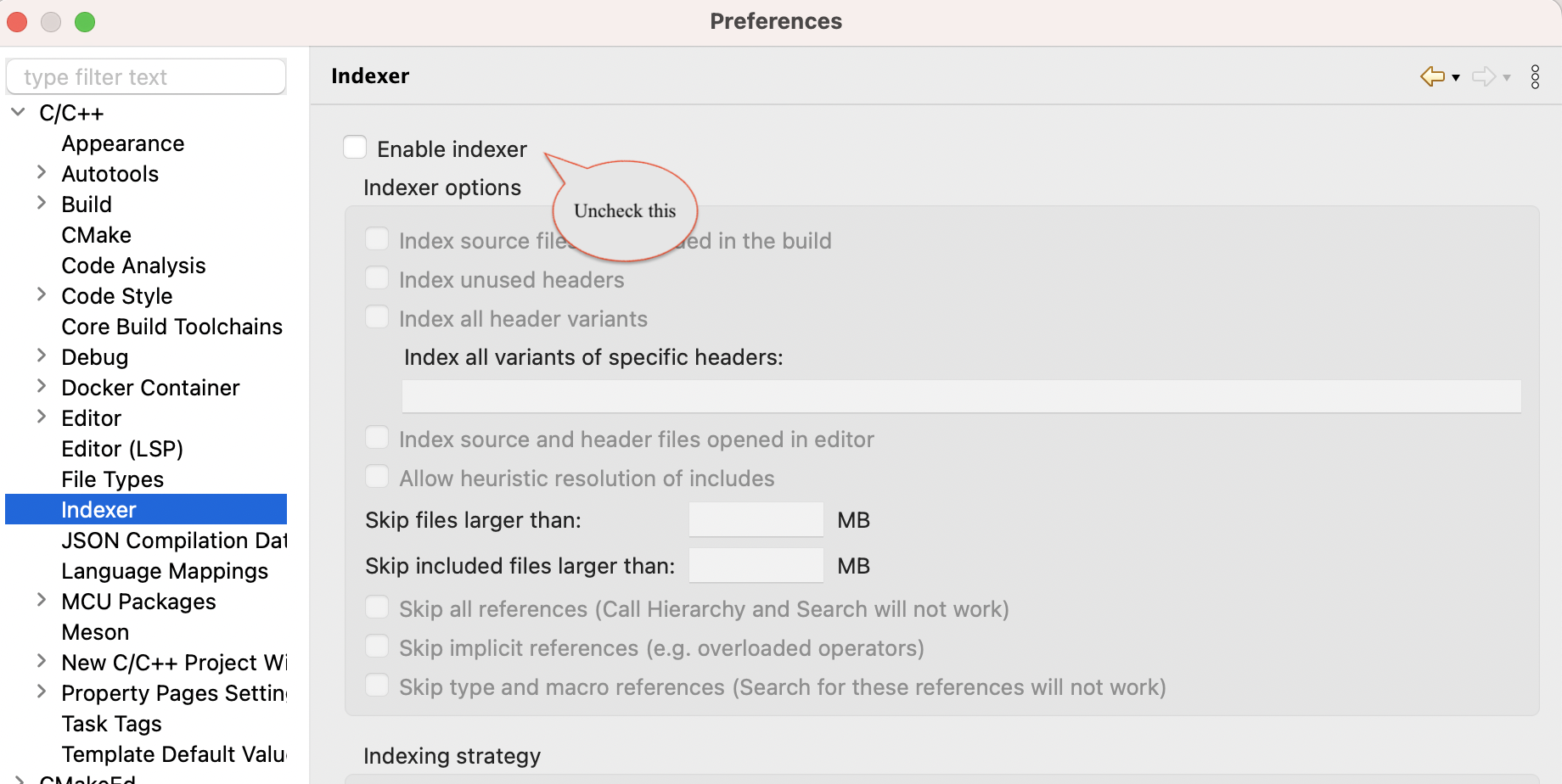
Disable CDT Indexer
With Espressif-IDE 3.0.0 or later, the CDT Indexer is disabled by default; instead, the LSP Indexer server is used for code analysis.
If, for any reason, it is not disabled, follow the steps below to disable it.
Go to
Window>Preferences>C/C++>Indexer.Uncheck
Enable Indexeroption and then click onApply and Close.